In the modern architecture, engineering, and construction (AEC) industries, few technologies command more attention: or higher commercial advertising rates: than Autodesk Revit. Commercial keywords like "revit drafting services" frequently command cost-per-click bids exceeding $50 on Google search, reflecting the enormous commercial value of multi-million dollar Building Information Modeling (BIM) contracts.
The marketing promise of Revit is compelling: instead of drawing disconnected 2D lines, arcs, and circles, your drafting team constructs a virtual, data-rich 3D building prototype. When you move an interior wall in a floor plan, the exterior elevations, building cross sections, door schedules, and material quantities update automatically and instantaneously.
However, for general contractors, custom home builders, and boutique design studios, adopting Revit in-house introduces staggering overhead costs. Between annual software licensing fees, high-end 64GB graphics workstations, and experienced BIM modeler salaries easily commanding $85,000 to $115,000 per year, maintaining an internal Revit department can severely erode operating margins.
Furthermore, many contractors find themselves asking a fundamental financial question: When is 3D Revit BIM modeling truly worth the investment, and when does traditional, flat-rate 2D CAD drafting deliver a faster, more profitable permit set?
This comprehensive guide breaks down everything you need to know about revit drafting services in 2026. We examine the technical mechanics of BIM, Level of Development (LOD) standards, automated spatial clash detection, realistic market pricing, and how to choose the right drafting tool for your construction business.
What Are Revit Drafting Services?
Revit drafting services involve technical Building Information Modeling (BIM) production performed by certified specialists using Autodesk Revit software. Unlike traditional computer-aided drafting (CAD), which generates separate two-dimensional vector sheets, Revit operates on a centralized parametric relational database.
In a Revit workflow, drafters construct intelligent 3D virtual elements (known as "families"):
- A wall in Revit is not just two parallel lines; it is an intelligent parametric assembly with defined physical layers: interior 1/2-inch drywall, 2x6 wood or light-gauge steel stud framing, continuous exterior rigid foam insulation, an air-barrier housewrap, and exterior cladding.
- Doors and windows are hosted directly into wall geometry. If you delete a wall, the associated doors and windows are automatically removed, and the door schedule automatically recalculates.
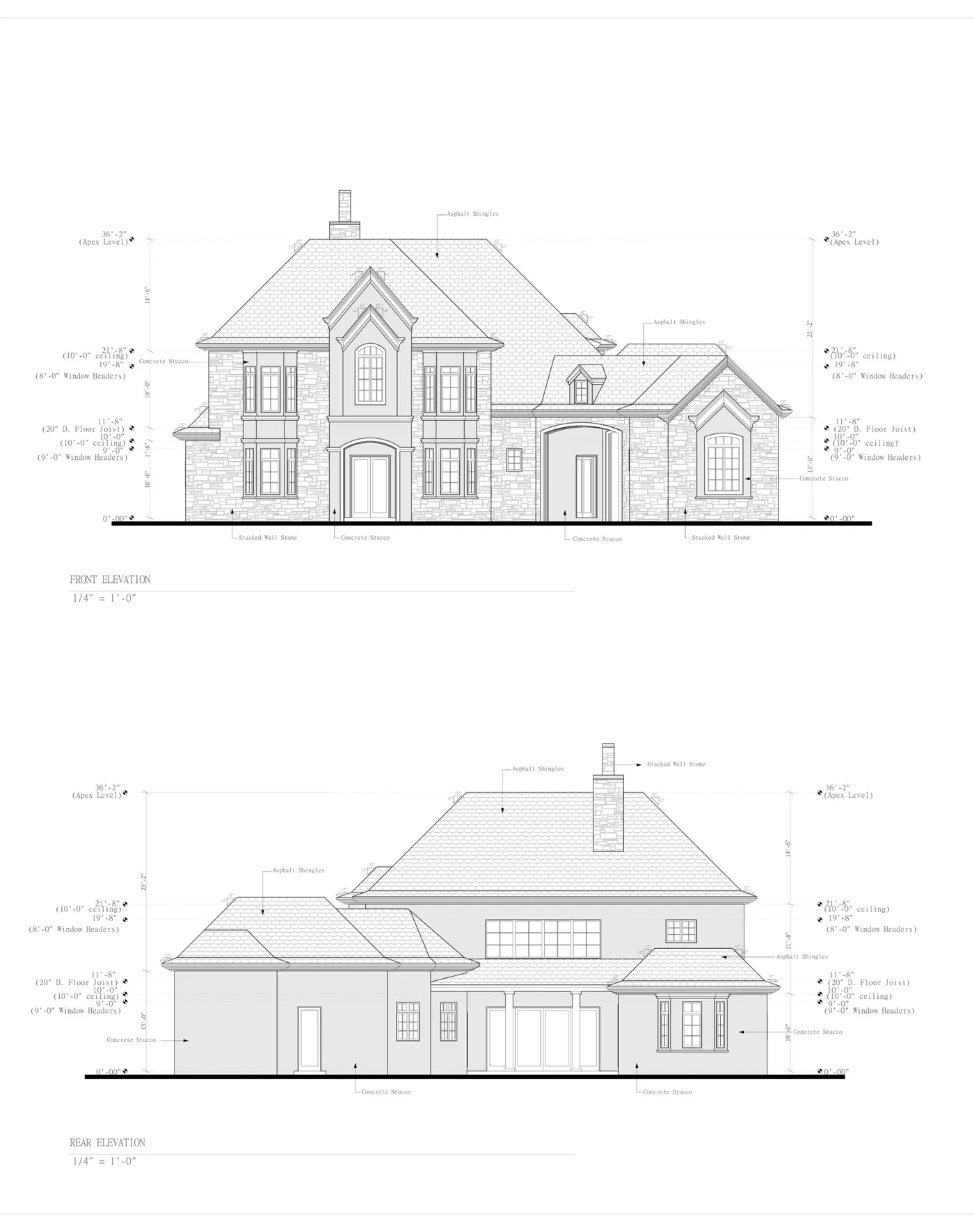
- Floor plans, reflected ceiling plans, exterior elevations, 3D isometric perspectives, and wall sections are simply different real-time live camera viewports looking into the exact same centralized digital building model.
+--------------------------------------------------------------------------+
|                  TRADITIONAL 2D CAD VS. 3D REVIT BIM                     |
+--------------------------------------------------------------------------+
|                                                                          |
|  TRADITIONAL 2D AUTOCAD                 AUTODESK REVIT BIM               |
|  * Disconnected drawing sheets          * Centralized 3D database model  |
|  * Floor plan, elevation & section      * All sheets are live viewports  |
|    drawn as separate lines              * Moving a wall updates every    |
|  * Manual schedule counting             * Automatic schedule generation  |
|  * Fast, lightweight, $1/sq ft          * Data-rich, parametric, higher  |
|  * Ideal for single-family & ADUs       * Ideal for commercial & MEP     |
|                                                                          |
+--------------------------------------------------------------------------+
Revit BIM vs. 2D AutoCAD: Head-to-Head Comparison
Choosing between 3D Revit modeling and 2D AutoCAD drafting requires evaluating project scale, municipal requirements, multi-trade complexity, and production budget.
| Evaluation Metric | 2D AutoCAD Drafting (ArchWorkPro) | 3D Autodesk Revit BIM Services | Which Tool Wins? |
|---|---|---|---|
| Typical Drafting Cost | $1.00 per square foot ($1,200 project minimum) |
$2.50 to $6.00+ per square foot (or $75 - $150 / hour) |
2D CAD saves 60% to 75% in drawing fees. |
| Production Turnaround | Fast (3 to 7 business days) | Moderate (2 to 5 weeks) | 2D CAD delivers permit sets significantly faster. |
| Parametric Model Data | None (pure 2D geometry) | Comprehensive (materials, thermal U-values, volumes) | Revit wins for lifecycle facility management. |
| Multi-Trade Clash Detection | Manual visual overlay | Automated 3D interference checking (Navisworks) | Revit wins on complex commercial MEP builds. |
| Permit Approval Acceptance | 100% universal across all US building departments | 100% universal (submitted as vector PDFs) | Tie. Cities review PDF sheets, not software. |
| Best Suited Project Types | Custom homes, room additions, ADUs, garage conversions, tenant improvements | Multi-family apartments, hotels, high-rise commercial, healthcare, industrial | Project complexity dictates the tool. |
When 2D AutoCAD Is the Smarter Business Choice
For single-family residential projects (custom homes, ground-floor additions, accessory dwelling units, and standard garage conversions), 2D AutoCAD drafting is almost always the superior economic choice.
- Municipal building departments across the United States do not review live 3D models; they review multi-page 24x36-inch architectural PDF sets showing floor plans, elevations, cross sections, and structural details.
- Paying a modeling studio $6,000 to $12,000 to construct a fully parametric 3D Revit model for a 2,000-square-foot residential home adds massive overhead without accelerating municipal permit approval.
- With ArchWorkPro's flat $1 per square foot CAD drafting model, you receive a complete, permit-ready 2D CAD construction set for just $2,000, keeping your design budget lean and profitable.
To explore our complete 2D CAD production workflows, visit our architectural drafting pricing guide.
When 3D Revit Modeling Is Worth Every Penny
Revit BIM modeling becomes essential when project complexity crosses into multi-trade coordination or institutional oversight:
- Commercial Tenant Improvements with Complex MEP: When running massive commercial HVAC ductwork, fire sprinkler mains, chilled water lines, and electrical cable trays above suspended acoustic tile ceilings.
- Multi-Family Residential Developments: Projects with 20 to 200 repeated apartment units where dynamic material takeoffs, structural prefabrication, and acoustic wall schedules yield significant procurement savings.
- Public Works and Institutional Mandates: Federal, state, and institutional healthcare facilities that contractually mandate BIM deliverables (such as COBie data standards) for long-term facility operations.
Understanding Levels of Development (LOD 100 to LOD 500)
When hiring revit drafting services, the single most critical technical variable is establishing the Level of Development (LOD).
Defined by the BIMForum and the American Institute of Architects (AIA), LOD specifies the degree of geometric detail, dimensional precision, and attached parametric information embedded within the 3D model elements.
Misunderstanding LOD is the primary reason contractors overpay for outsourced BIM services: if your builder only needs drawings for city permits (LOD 300), paying a studio to model every screw, pipe fitting, and structural connection bolt (LOD 400) inflates drafting costs by 50 to 80 percent.
+--------------------------------------------------------------------------+
|                     BIM LEVEL OF DEVELOPMENT (LOD) SCALE                 |
+--------------------------------------------------------------------------+
|                                                                          |
|  [ LOD 100 ] CONCEPTUAL MASSING                                          |
|              Basic building volumes, building area, site orientation.    |
|                                                                          |
|  [ LOD 200 ] SCHEMATIC DESIGN                                            |
|              Generic 3D walls, approximate roof shapes, spatial layouts. |
|                                                                          |
|  [ LOD 300 ] PERMIT & CONSTRUCTION DOCUMENTATION                         |
|              Exact dimensions, specific wall sandwiches, window sizes,   |
|              structural foundation footings, and code callouts.          |
|                                                                          |
|  [ LOD 350 ] MULTI-TRADE SPATIAL COORDINATION                            |
|              Structural steel connections, pipe hangars, duct flanges,   |
|              inter-trade clash detection interfaces.                     |
|                                                                          |
|  [ LOD 400 ] FABRICATION & SHOP DRAWINGS                                 |
|              Direct manufacturing assembly details, rebar bending schedules|
|                                                                          |
|  [ LOD 500 ] FIELD-VERIFIED AS-BUILT & FACILITY MANAGEMENT               |
|              Actual post-construction conditions, equipment serial       |
|              numbers, warranty maintenance data embedded in model.       |
|                                                                          |
+--------------------------------------------------------------------------+
The Sweet Spot for Builders: LOD 300 vs. LOD 350
- LOD 300 (Construction Documents): This is the industry standard for obtaining building permits. Building assemblies are modeled with exact dimensional locations, specified materials (e.g., 2x6 studs at 16" O.C., 5/8" Type X drywall), true structural depths, and specific door/window schedule tags.
- LOD 350 (Coordination): Adds the physical interfaces between trades: detailing how an HVAC duct passes through a structural floor truss, or how exterior curtain wall clips bolt into structural concrete floor slabs. This level is vital for avoiding spatial collisions on commercial construction sites.
Automated Spatial Clash Detection: Preventing Field Disasters
The single most valuable return on investment offered by 3D revit modeling services is automated spatial interference checking, commonly known as clash detection.
In traditional 2D drafting, an architect draws the floor plan, a structural engineer drafts the framing beams, an HVAC engineer draws mechanical ductwork, and a plumbing contractor drafts sanitary lines on separate, overlapping sheets. When physical construction begins, subcontractors discover in the field that a 14-inch rigid metal HVAC supply trunk directly intersects a heavy steel I-beam, or a 4-inch vertical toilet waste stack drops right through a double floor joist.
Resolving these physical collisions in the field requires emergency change orders, delayed project schedules, and expensive structural redesigns.
The Mathematics of Clash Resolution
+--------------------------------------------------------------------------+
|                  CLASH RESOLUTION COST ESCALATION                        |
+--------------------------------------------------------------------------+
|                                                                          |
|  STAGE OF DISCOVERY                     ESTIMATED RESOLUTION COST        |
|  ----------------------------------------------------------------------- |
|  1. In the 3D Revit Model (Pre-Con) ... $ 100 (5 minutes of CAD drafting)|
|  2. During Subcontractor Bidding ...... $ 500 (Design RFI revision)      |
|  3. During Rough Framing on Job Site .. $ 4,500 (Tear out & re-framing)  |
|  4. After Mechanical Installation ..... $ 18,000+ (Rerouting ductwork,   |
|                                         custom steel fabrication, delays)|
|                                                                          |
|  AVERAGE ROI: Every $1 invested in BIM clash coordination saves $8 to $15|
|               in emergency job site change orders.                       |
+--------------------------------------------------------------------------+
How Clash Detection Operates in Practice
- Model Aggregation: The architectural Revit model, structural model, and MEP subcontractor models are exported into Autodesk Navisworks Manage or the Autodesk Construction Cloud (Model Coordination).
- Hard Clash Testing: The software runs automated algorithmic collision scans (e.g., identifying every instance where solid steel intersects solid ductwork or pipe geometry).
- Soft Clash / Clearance Testing: The software checks spatial clearances: verifying that maintenance technicians have at least 36 inches of clear access in front of electrical panels, or that plumbing pipes maintain mandatory insulated clearances from hot flue vents.
- Clash Matrix Reporting: The BIM coordinator generates an interactive clash report with 3D coordinates, assigning specific clashes to the structural engineer or mechanical contractor for resolution prior to material fabrication.
To understand how spatial discrepancies translate into formal project documentation, explore our guide on the construction RFI process and how to manage construction change orders.
How Much Do Revit Drafting Services Cost in 2026?
Because revit bim services require advanced engineering software and highly specialized technicians, pricing is structured differently than basic 2D CAD drafting:
| Billing Structure | 2026 Rate Range | Typical Applications | What Is Included |
|---|---|---|---|
| Hourly BIM Modeler Rate | $75 - $150 / hour (US domestic) $35 - $65 / hour (Offshore) |
Complex design changes, parametric family creation, clash detection meetings. | Dedicated hourly modeling time; requires client management. |
| Square-Foot Rate (Commercial BIM) | $2.50 - $6.00+ / sq ft | Multi-family housing, commercial office interiors, retail shells. | LOD 300 architectural model, exterior facades, sheet setup, schedules. |
| Dedicated Monthly BIM Drafter | $5,500 - $9,500 / month | Mid-sized architecture firms and commercial general contractors. | Full-time dedicated remote Revit technician integrated into client team. |
| Flat-Rate 2D CAD Drafting (ArchWorkPro) | $1.00 / sq ft ($1,200 project minimum) |
Single-family homes, room additions, ADUs, garage conversions. | Complete 2D CAD permit set; maximum speed and lowest overhead. |
The True Cost of In-House Revit Production
Before deciding to hire an in-house Revit technician, general contractors must calculate the full annual burden:
- Base Salary: $80,000 to $105,000 per year for a qualified Revit technician with 3+ years of commercial experience.
- Taxes and Benefits: 20% to 25% added burden ($16,000 to $26,000 annually).
- Autodesk AEC Collection Licensing: Approximately $3,500 per user per year.
- Hardware Workstation: Professional CAD/BIM desktop (Intel Core i9/Ryzen 9, 64GB DDR5 RAM, NVIDIA RTX 4080 GPU, dual 4K monitors) costing $4,000 to $5,500 upfront.
- Total Annual Fixed Cost: $103,500 to $140,000+ per seat, regardless of whether you have active building projects during slow economic quarters.
By outsourcing revit drafting services to a dedicated external studio, you eliminate permanent payroll liabilities, software licensing fees, and hardware depreciation, converting fixed overhead into an elastic, project-billed expense.
4 Technical Deliverables to Require in Your Revit Contract
When contracting with an external revit modeling services provider, ensure your agreement explicitly mandates four standardized file deliverables:
+--------------------------------------------------------------------------+
|                  STANDARDIZED REVIT PROJECT DELIVERABLES                 |
+--------------------------------------------------------------------------+
|                                                                          |
|  1. Central Model (.RVT Format)                                          |
|     Native Autodesk Revit project file with purged unused families,      |
|     standardized worksets, and cleanly defined project coordinates.      |
|                                                                          |
|  2. High-Resolution Vector PDF Sheet Sets                                |
|     Multi-page 24x36 Arch D sheets plotted with standard lineweights     |
|     ready for direct municipal electronic permit submittals.             |
|                                                                          |
|  3. Exported 2D AutoCAD DWG Backgrounds                                  |
|     Layer-mapped 2D DWG files exported to AIA CAD Layer Guidelines for   |
|     subcontractors who do not operate Revit software.                    |
|                                                                          |
|  4. Open BIM Exchange File (.IFC Format)                                 |
|     Industry Foundation Classes (IFC 4 or IFC 2x3) export ensuring       |
|     long-term software-agnostic archive access.                          |
|                                                                          |
+--------------------------------------------------------------------------+
1. The Central Revit Project File (.RVT)
Ensure you receive the unlocked, unencrypted native .RVT file saved in an agreed-upon software version (e.g., Revit 2024 or 2025). The model should be purged of unused families, materials, and temporary views, with shared parameters cleanly organized.
2. High-Resolution Vector PDF Submittal Sets
City plan examiners review PDF sheets, not live 3D models. Your deliverable must include vector-based, multi-page PDF sets generated at full architectural scale (24x36 Arch D or 30x42 Arch E). Vector PDFs allow plan checkers to zoom into minute construction details without encountering pixelated blurriness.
3. Layer-Mapped 2D AutoCAD DWG Backgrounds
Most field subcontractors (such as residential framing crews, electrical subcontractors, and tile installers) do not own expensive Revit licenses; they run 2D AutoCAD or mobile DWG viewers on their tablets. Your Revit provider must include automated DWG exports mapped strictly to standard AIA CAD Layer Guidelines so subcontractors can generate accurate material takeoffs.
To understand how AutoCAD and Revit files coordinate across construction projects, read our technical breakdown on architectural drafting file formats.
4. Industry Foundation Classes (.IFC) Open BIM Export
An open-standard IFC file guarantees that your building model can be opened in non-Autodesk platforms (such as ArchiCAD, Vectorworks, or Solibri Model Checker) twenty years from now, protecting your project data against proprietary software lock-in.
Why Choose ArchWorkPro for Your Production Drafting Needs?
At ArchWorkPro, we believe that professional architectural drafting should be accessible, transparent, and built to maximize builder profitability:
- The Pragmatic $1/Sq Ft Advantage: While full 3D Revit modeling makes sense for complex multi-million dollar commercial projects, 2D AutoCAD drafting is the fastest, most cost-effective path to permits for residential custom homes, additions, ADUs, and tenant improvements. We deliver complete, code-compliant 2D CAD permit drawings for a transparent flat rate of $1 per square foot ($1,200 project minimum).
- Rapid Production Turnaround: Traditional architecture firms often take months to deliver drawing sets. ArchWorkPro delivers complete preliminary 2D CAD construction sets in business days.
- National Building Code Standards: We draft to international, state, and local residential and commercial codes across all 50 states, ensuring your construction sets satisfy strict window egress sizing, fire separation, and energy compliance standards.
- Full Drawing Ownership: You receive unlocked native DWG CAD files and pristine vector PDF permit packages. You own your drawings outright, giving you the freedom to bid your plans to multiple builders.
- We Draft, You Run Your Project: We provide the scalable drafting engine that allows general contractors, architects, and remodelers to expand their project capacity without taking on costly payroll liabilities.
If you want to eliminate drafting bottlenecks, lower your drawing overhead, and scale your construction business, explore our complete architectural drafting services, read more about our national drafting firm, or get started with our drafting team today.
Frequently Asked Questions About Revit Drafting Services
Is Revit replacing AutoCAD in residential construction?
No. While Revit dominates large commercial, healthcare, and high-rise multi-family construction, 2D AutoCAD remains the dominant production tool for single-family residential additions, custom homes, and ADUs. AutoCAD is significantly faster for drafting standard 2D residential floor plans, foundation layouts, and roof framing details, costing a fraction of the price of full 3D BIM modeling while satisfying 100 percent of municipal permit requirements.
Can Revit models be exported into AutoCAD DWG files?
Yes. Autodesk Revit includes robust export utilities that convert 3D model views into 2D AutoCAD DWG vector files. When configured properly using AIA CAD Layer mapping, the exported DWG files feature clean layer naming, proper lineweights, and standard block definitions that can be opened and edited in any version of AutoCAD.
What computer hardware is required to run Autodesk Revit?
Revit is an extremely resource-intensive software application. Autodesk recommends a high-performance 64-bit workstation equipped with a multi-core processor (Intel Core i7/i9 or AMD Ryzen 7/9 with 3.5 GHz+ base clock), at least 32GB to 64GB of DDR5 RAM, a dedicated graphics card with at least 8GB to 16GB of VRAM (such as an NVIDIA RTX 4070 or professional RTX A4000), and fast NVMe solid-state storage. Running Revit on budget consumer laptops leads to severe software lag and crashes.
Do city building departments accept Revit (.RVT) files directly for permit review?
No. Municipal building departments across the United States do not accept or review raw Autodesk Revit (.RVT) project files. Municipal plan checkers review standard multi-page 2D architectural drawing sheets submitted as vector-based PDF documents formatted for standard architectural sheet sizes (such as 24x36-inch Arch D sheets). Whether your drawings were produced in 2D AutoCAD or 3D Revit, the city reviews the printed or digital 2D PDF sheets.
What is the difference between BIM and Revit?
BIM (Building Information Modeling) is a broad industry methodology and collaborative process for creating and managing digital representations of physical and functional building characteristics. Revit is a specific commercial software application developed by Autodesk designed to author and manipulate BIM models. In short, BIM is the process; Revit is the tool used to execute that process.